Showing posts with label photoshop. Show all posts

Tuesday, September 13, 2016

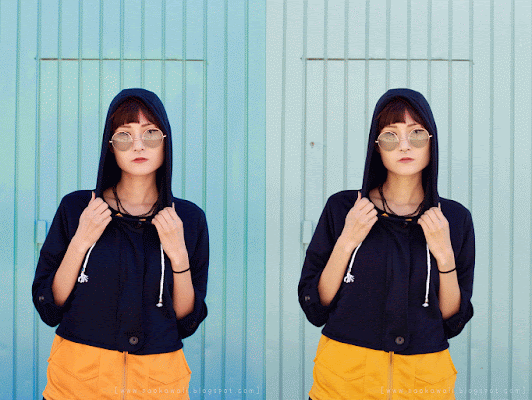
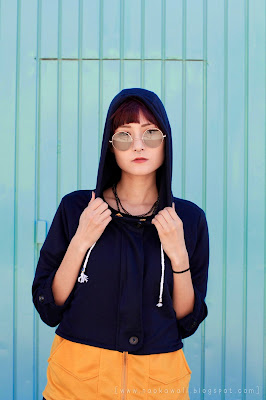
Before/After (some old fashion photos)

Fashion/Moda:

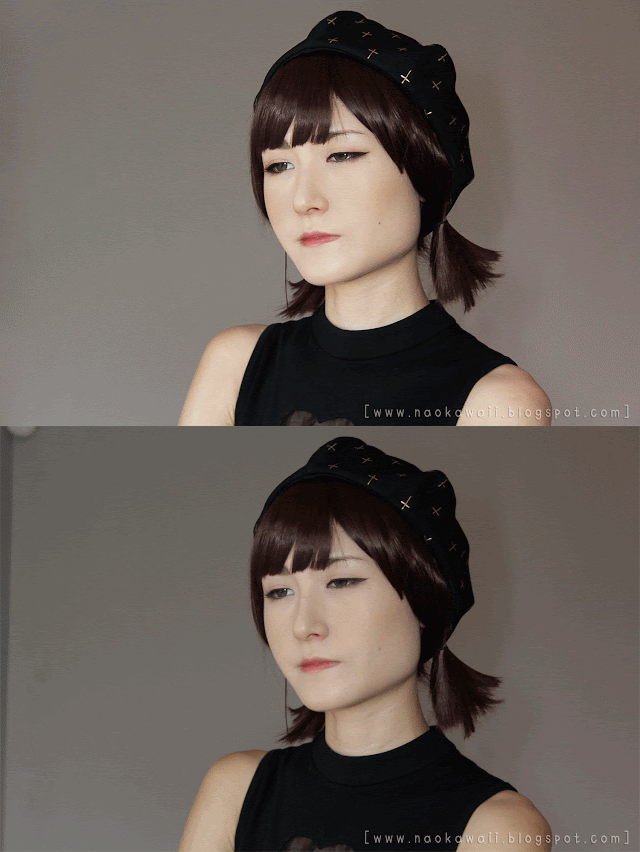
Hello, everyone! I wanted to share the Before/After of some old fashion photos of my blog.
Here i show the change and the improvement of the pic.
If you are interested of how to improve your photos, you just have to tell me and probably i will make a section about this.
Hola a todos! Quería compartir con vosotros el Antes/Después de algunas fotos de moda antiguas de mi blog. Aquí os muestro el cambio de la mejora de la foto. Si os interesa saber como mejorar las fotos solo tendréis que decírmelo y probablemente dedique un apartado a ello.

 `
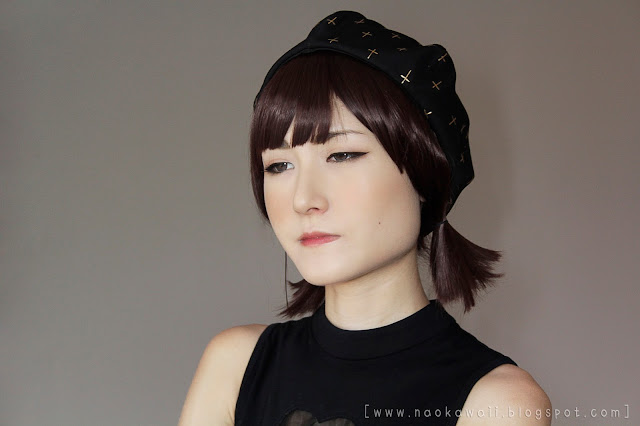
 Most of my pics doesn't need too much edition. I retouch the skin imperfections (pimples etc) and i pronounce a lot the makeup colours, but the key of a perfect finish, is a perfect base and a good makeup. You know! If the makeup is ok, it will look great on the pic! Photoshop helps, but is better to save time and work.
La mayoría de mis fotos no necesitan demasiada edición. Retoco las imperfecciones de mi piel (granitos etc) y pronuncio mucho el color del maquillaje, pero la clave de un acabado perfecto, es una base perfecta y un buen maquillaje. Ya sabes! Si el maquillaje está bien, se verá genial en la foto! Photoshop ayuda, pero es mejor ahorrar tiempo y trabajo.
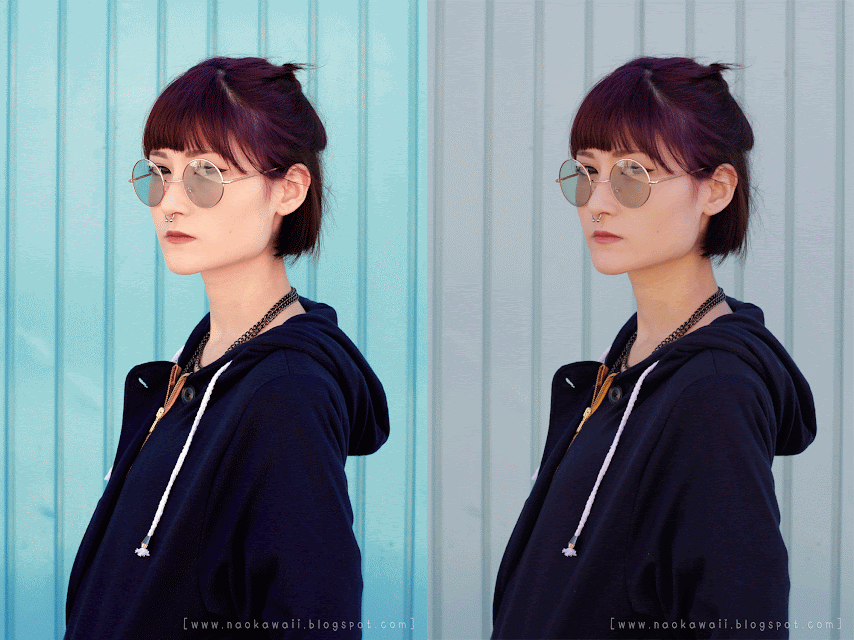


 As you can see, i pronounce one by one the colour ALWAYS!
Como podréis ver, pronuncio el color uno por uno y SIEMPRE!
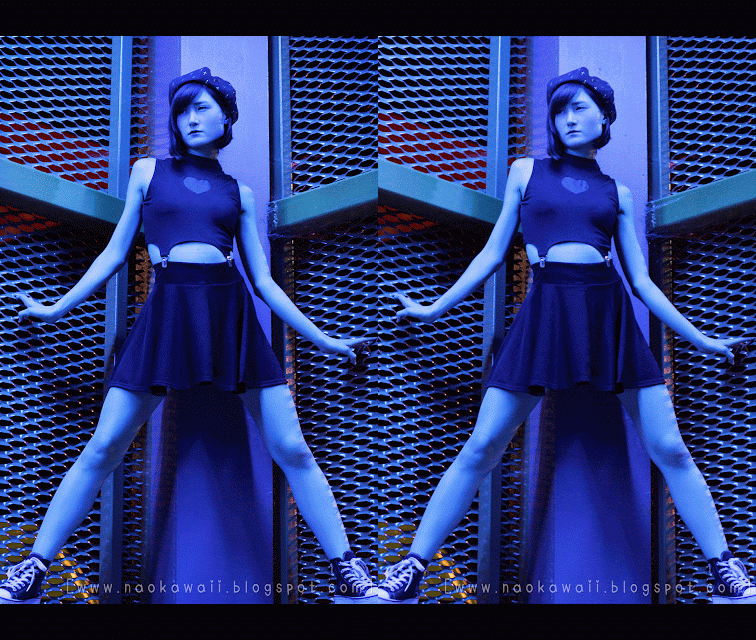
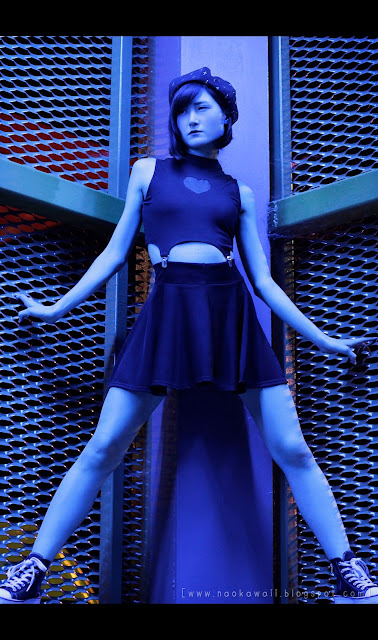
 
 Remove clothing wrinkles and add shadows are SUPER IMPORTANT!!
Clothing without wrinkles make them look better, of course and the shadows will help you to stylize or remark some parts.
I use this technique on eyes, jaw, neck and legs.
Eliminar las arrugas de la ropa y añadir sombras es SUPER IMPORTANTE!!
La ropa sin arrugas hará que se vea mejor, por supuesto y las sombras te ayudarán a estilizar y remarcar algunas partes.
Utilizo esta técnica en los ojos, mandíbula, cuello y piernas.
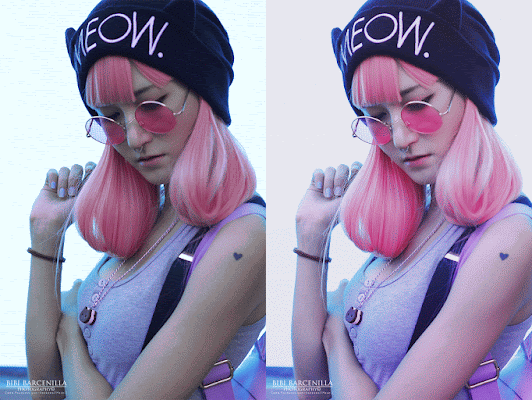
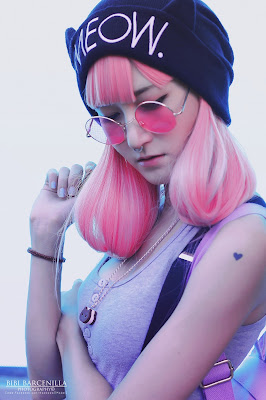
 
I think the light is the most important thing in a photography.
Creo que la luz es lo más importante en una fotografía.
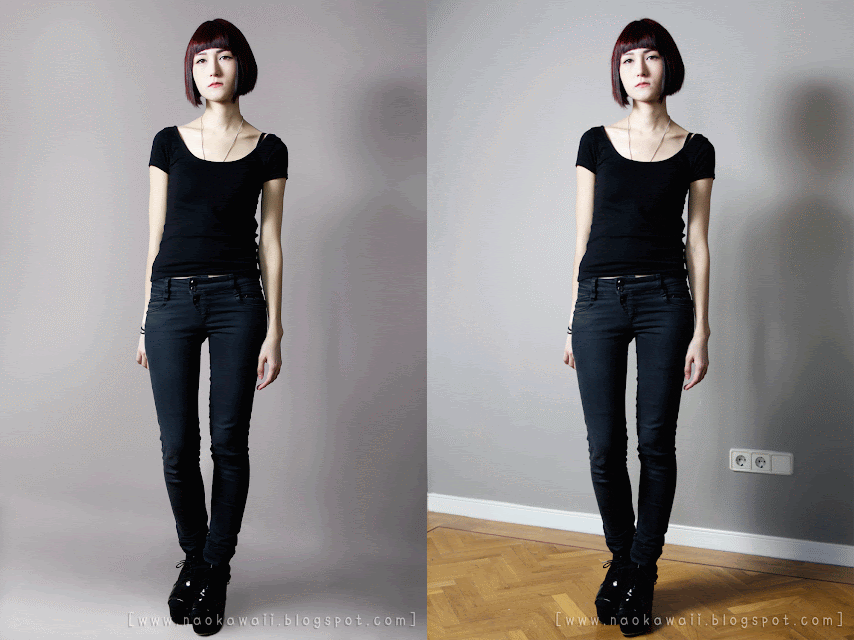
 
Well... And hide things are important. See? Also clean backgrounds, hair or floor to not get distracted by anything.
Bueno... Y esconder cosas es importante. Lo véis? También limpiar fondos, pelo o el suelo para no distraerse con nada.

I hope you liked this post! Let me know if you are interested on this kind of tips and i will think about make a photoshop section! :P 
See you soon!
Espero que os haya gustado el post! Hacerme saber si os interesan este tipo de consejos y pensare sobre hacer una sección de photoshop! :P
Os veo pronto!

Edition: Naomi (Me)

Monday, March 23, 2015

How to make Mirror effect in Photoshop Cs5- Cómo hacer efecto espejo en Photoshop Cs5


Hello, everyone! A long time ago i don't make photoshop or any tutorial... I'm super lazy...
Well... Today i want to show you how i make the mirror effect in Photoshop CS5.
Hola a tod@s! Hace mucho tiempo que no subo ningún tutorial de photoshop o de ningún tipo... Soy super vaga,,,
Bueno... Hoy quiero enseñaros cómo hacer el efecto espejo con photoshop CS5.

Let's Start!
Empecemos!

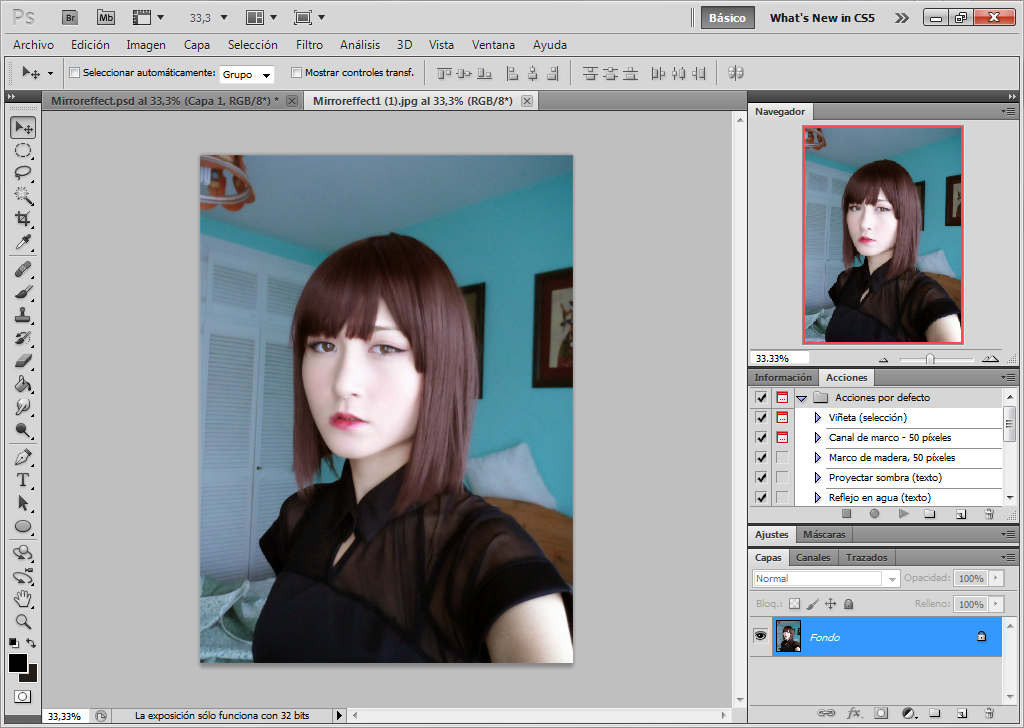
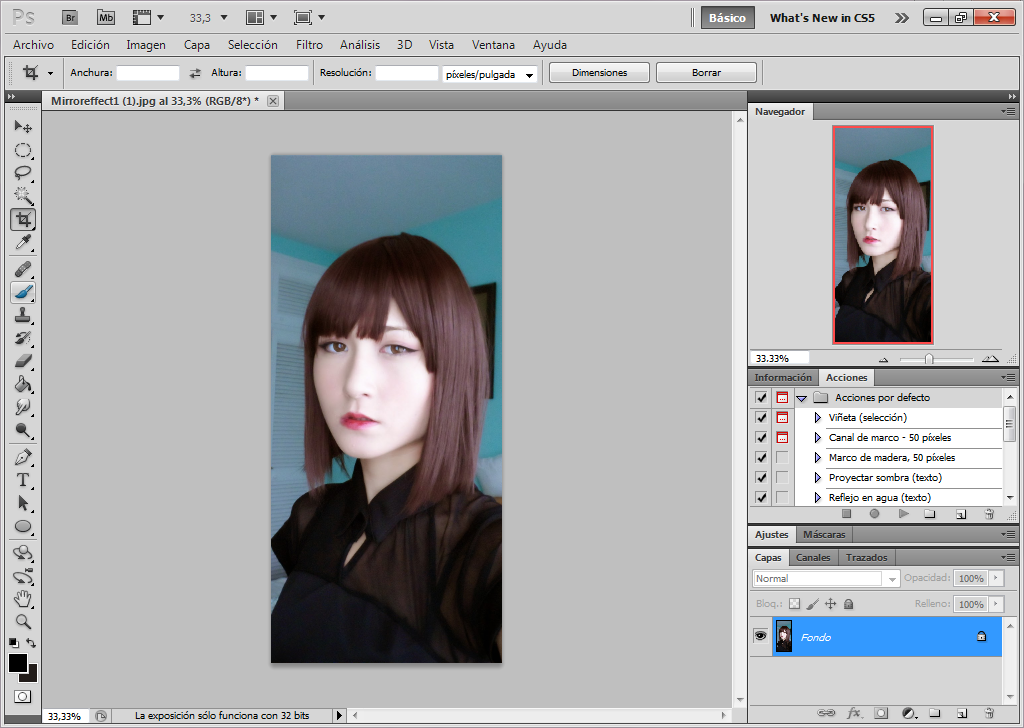
Choose any photo you want. I personally prefer use profile face photos or average profile for these effects.
Elige cualquier foto que quieras. Yo personalmente prefiero usar foros de perfil o medio perfil para estos efectos.

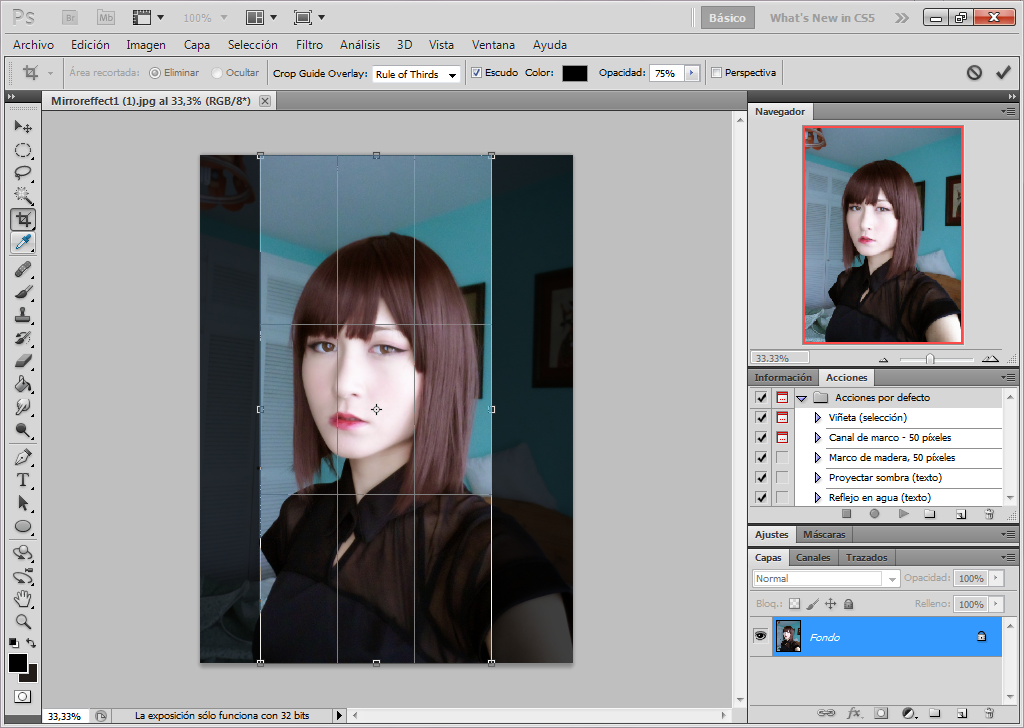
Crop the photo in any size you want. I recommend to crop them a lot to make this cool symmetric effect.
Corta la imagen en el tamaño que desees. Yo recomiendo recortarlas bastantes para crear este efecto de simetría.

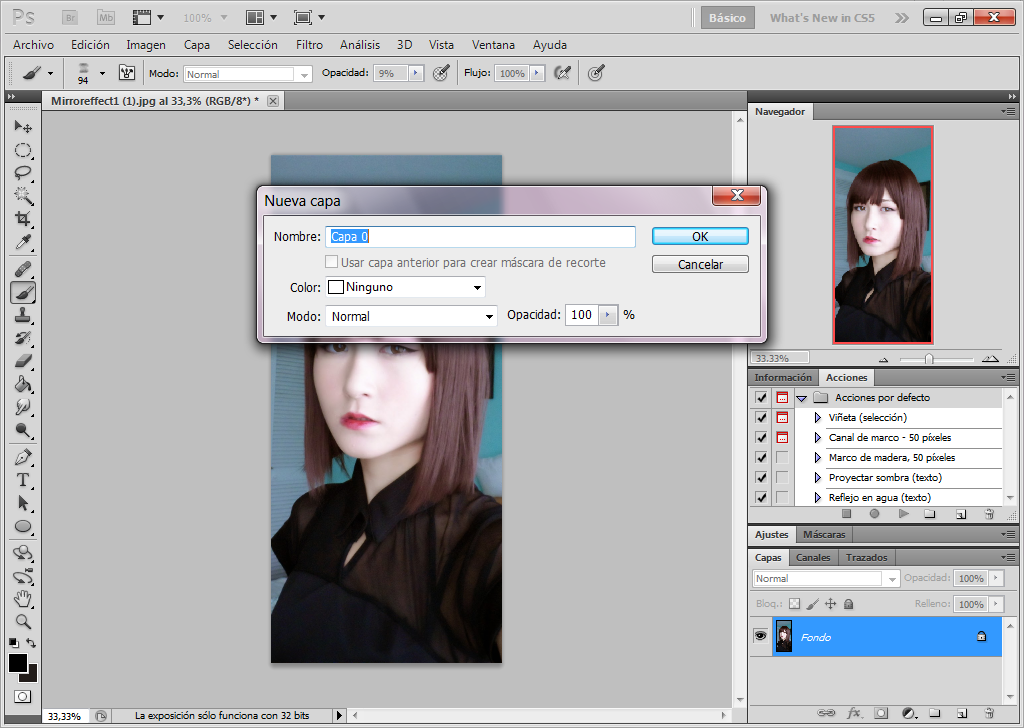
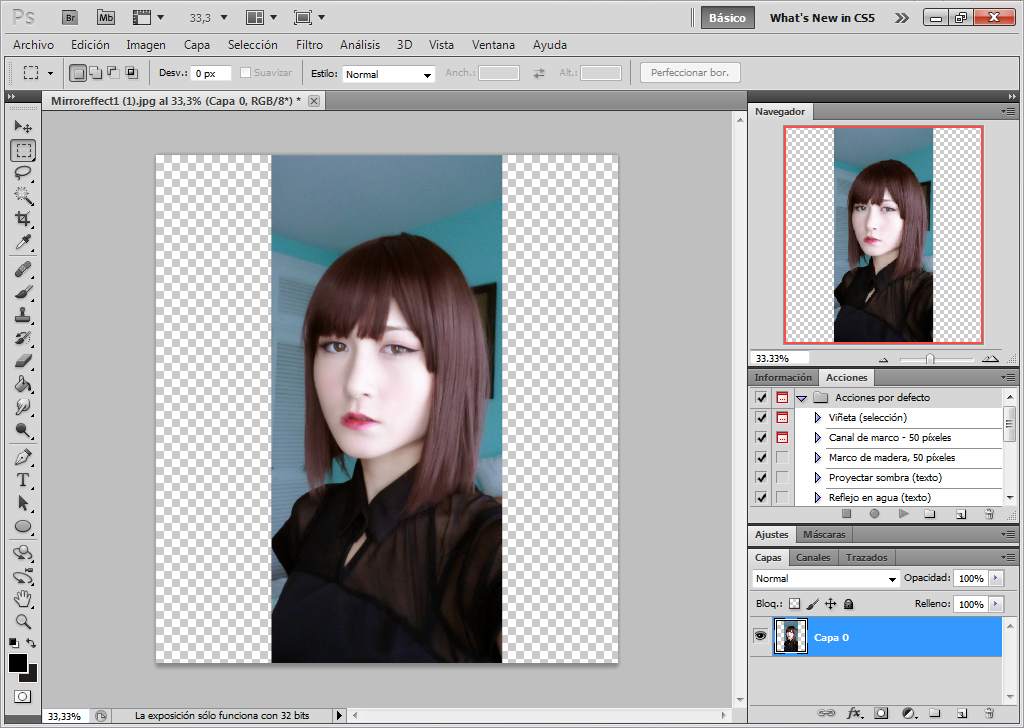
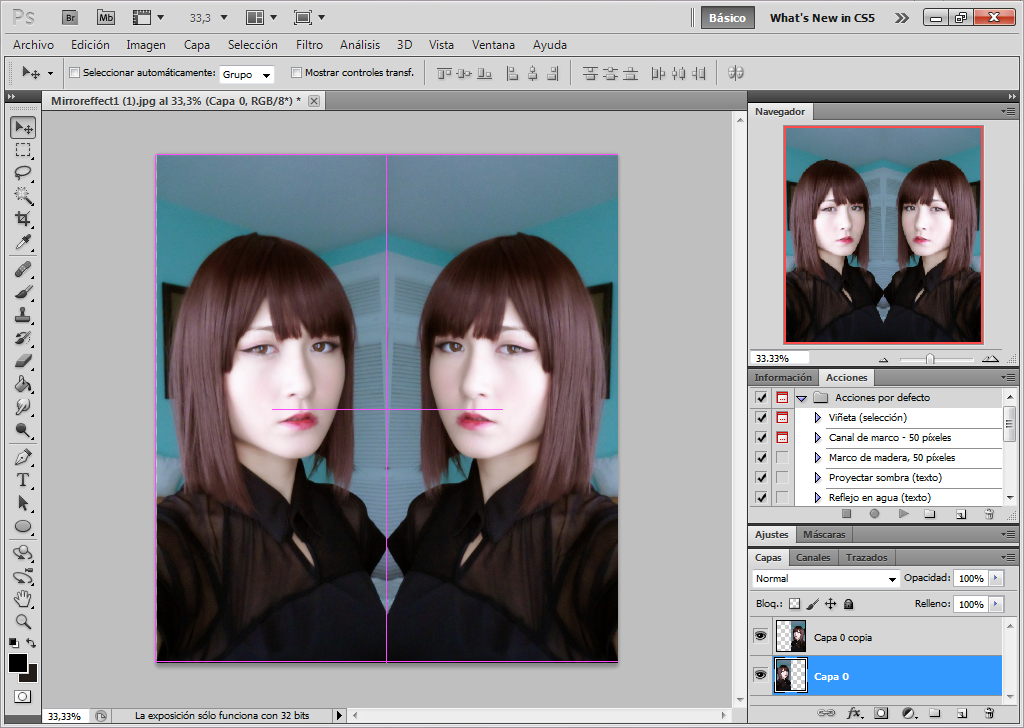
Once time the photo is cropped you will need to transform the Background Layer in Layer mode, with Double Click.
Una vez la imagen esté recortada necesitarás transformar la capa de Fondo en modo Capa, con doble clic.

Background layer now is named Layer 0 or Capa 0
La capa de Fondo ahora pasa a llamarse Capa 0 o Layer 0

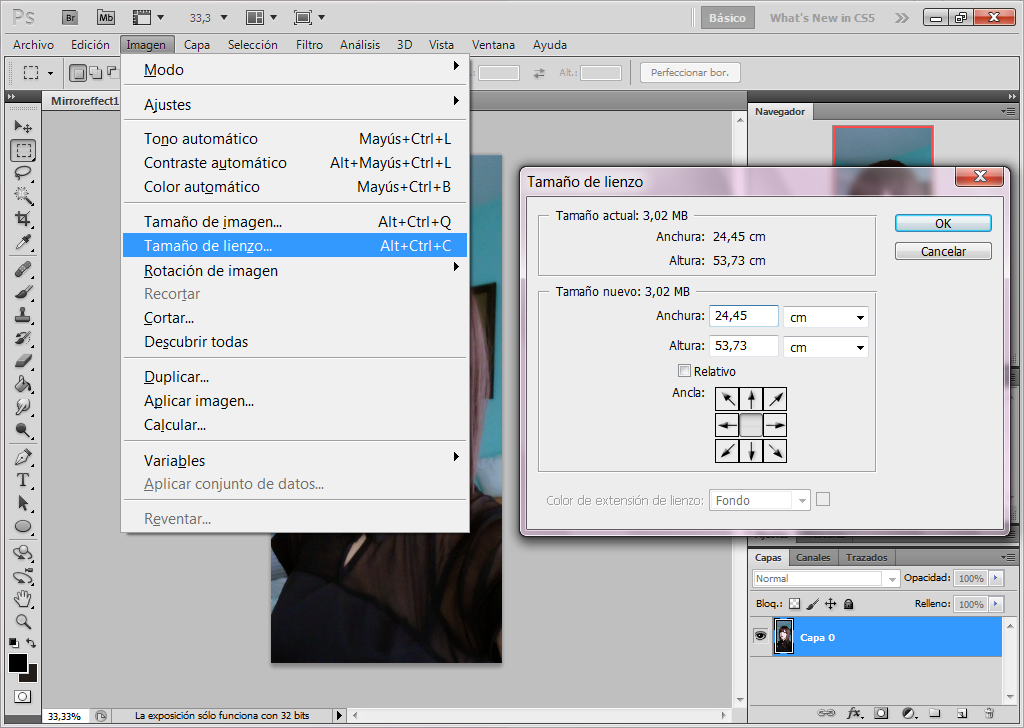
Then lets change the Canvas Size.
Cambiemos el Tamaño de lienzo.

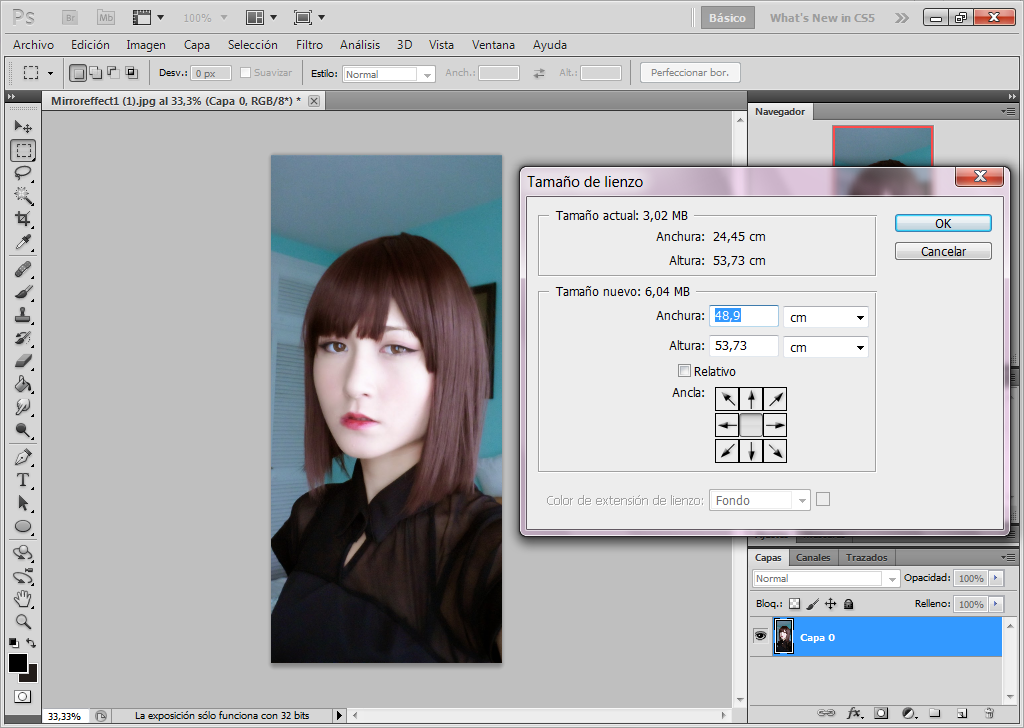
You have to multiply x2 the width size.
Mine was 24,45cm, so then i need to select 48,9cm width.
Tienes que multiplicar x2 la anchura.
La mía era de 24,45cm, así que tuve que seleccionar 48,9cm de ancho.


When it's done you will see that the canvas is bigger and with the transparend background.
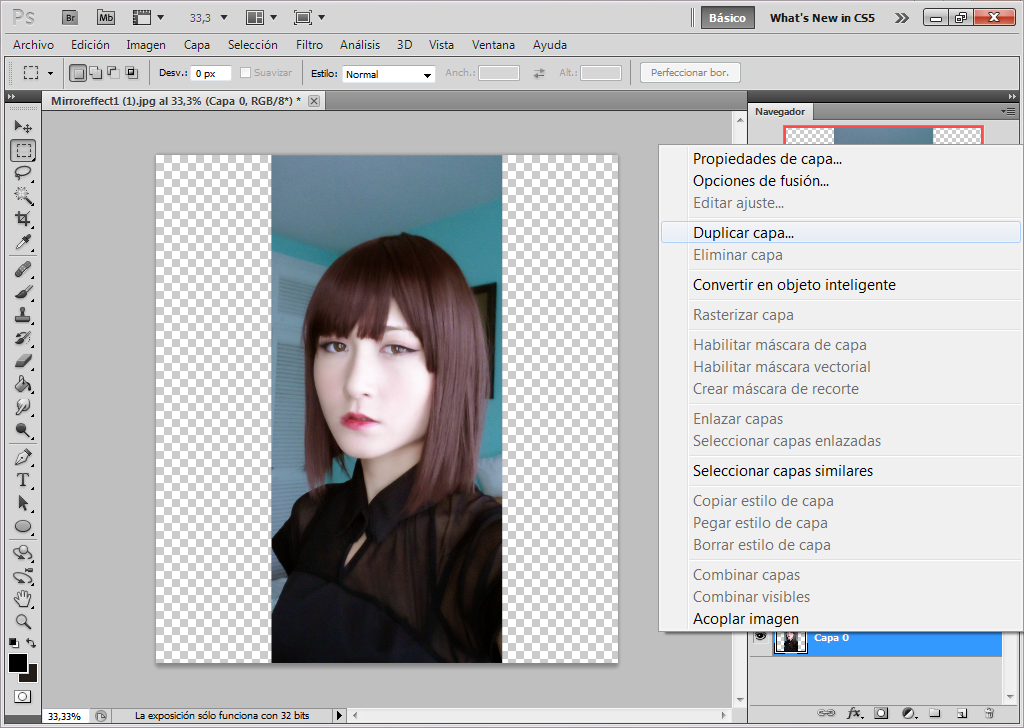
Now duplicate the layer.
Cuando esté hecho podrás ver que el tamaño del lienzo es más grande y está con el fondo transparente.
Ahora duplica la capa.

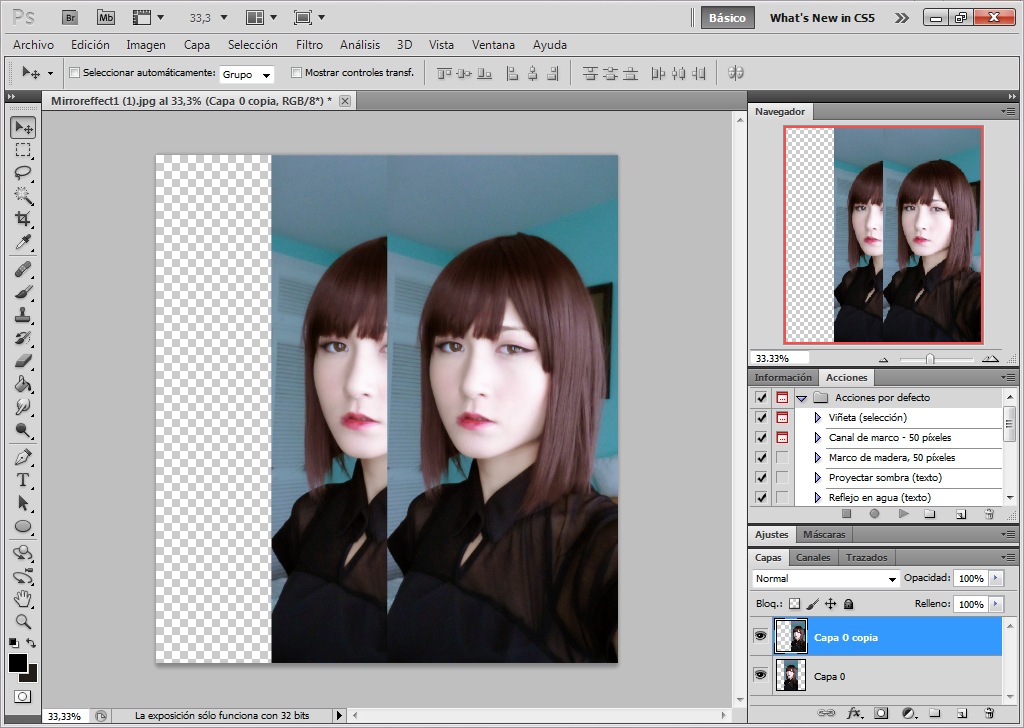
The image is duplicated. Now we are going to transform the image.
La imagen está duplicada. Ahora vamos a transformar la imagen.

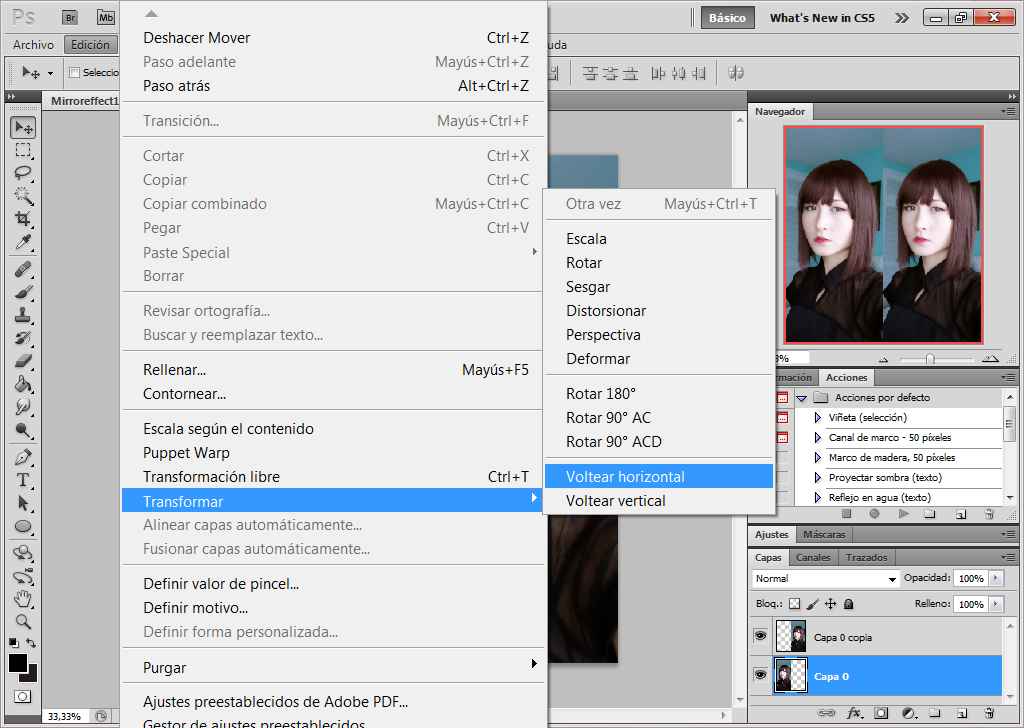
Go to Image options/Transform/Flip horizontal
Ve a las opciones de imagen/Tranformar/Voltear horizontal

Move the image just in the other end. And it's done!
Easy, no?!
Mueve la imagen en el otro extremo. Y ya está!
Fácil, no?!

This is the result!
Éste es el resultado!

Let me know if you want more photoshop tutorials if you want! I'm planning to make a tutorial of how i fix my photos.
Hacerme saber si queréis más tutoriales de photoshop! Estoy planeando hacer uno de cómo arreglo mis fotos.

Oh! BTW! Today i have a good new!
VOGUE ITALIA plublished another photo of me! I'm so excited! I hope you like it!
Thanks to my beautiful photographer Nanihta for make this possible.
Oh! Por cierto! Hoy tengo una buena noticia!
VOGUE ITALIA ha publicado otra foto mía! Estoy muy emocionada! Espero que os guste!
Gracias a mi hermosa fotógrafa Nanihta por hacer esto posible!


See you in the next post!
Os veo en el siguiente post!


Wednesday, March 5, 2014

Last drawings ^^


Hi, hi!! here i leave you some drawings i've been doing these days! ^^ 
Also a Wallpaper one! i hope you like PINK!!!! ^3^

PNG mode too! :3
Oh! Some of the hair color tests LOL
Finally i choose pink and blue, but i love the violet one too!! 
I will make another wallpaper for the violet gurl!!

Uhuhuhu!! And here trying different mouths! I have no inspiration ><

Also learning weird bjds anatomy! lol...

And here are the evil and angel twins !!
Remind me a lil at Kiki and Lala from Sanrio.
Anyway! Saying that i'm learnig to draw with the wacom tablet again lol!! After too many months without pc about drawing was impossible... *cries*
I hope can make more cute drawings for you, guys!!


Oh! Follow me on Deviantart if you want!! Find me as Naokawaii as always!
have a beautiful day~ ^o^

Thursday, January 24, 2013

Berry's drawing


Hi, hii, guys!! Here is my lastest drawing.
Well... First i'm going to talk about the girl of my drawing.
Her name is Berry Tsukasa, a very, very cute and young girl. 
I couldn't contain to draw her when i found her at Tumblr and i saw her pictures, because she's really kawaii.
She inspired me a lot with her style. Is really original and adorable.
Oh! I drawn this with Paint tool SAI and Ps cs5. If you see, she has galaxy stars and nebula on her hair!!
Here is the link of my artwork at Deviantart!!
I hope you like it!!!
Follow her at Blogger and Tumblr!!
Blog
Tumblr

Saturday, December 29, 2012

My lastest creations with photoshop cs 5

Hi, hii~~
It's a horrible day...
i have a very big problem with my hormones D: My face suddenlu is full of a kind of acne :( I'm so stressed, because i like to have a perfect skin...
Well... anyway! I stayed at home all the day drawing cute things. I don't want to go out... I will go to the doctor this monday if it's possible.
This are my new artworks ^-^


I made a PNG version and wallpaper version.
If you want to download the full version enter at my Devianart 
I also made a cute and lovely strawberries for sweet people~
I hope you like it!!
Huuugs!!

Thursday, December 27, 2012

Do you like moustache??

Well, well, well~~~ I know all of us loves moustaches, because there are lovely and awesome!! :D
So i show you my lasted creations with photoshop cs 5 of my creatures with the power of moustache. Enjoy it! And i hope you like it!
Oh!! You can also download the fullscreen version at my Deviantart.
I hope you like it!!

image1
image2
image3
image4